
We’ve just released an exciting update to the Translation Alternatives feature in Maestra AI. Previously, our tool allowed you to generate shorter alternatives for translations using advanced language models. Now, we’re expanding this capability to offer even more flexibility and customization options.
With this latest update, you can generate longer alternatives or create custom translations tailored to specific needs. Whether you’re working with industry-specific jargon, adapting content for different cultures, or fine-tuning the length of your translations to fit specific formats, this feature allows you to make adjustments with ease.
Some of the use cases that you can try:
Industry-Specific Language:
Use technical terminology relevant to your field or simplify it for broader audiences.Cultural Adaptation:
Adapt translations to reflect regional dialects and cultural nuances.Emotional Tone Matching:
Tailor translations to evoke the desired emotional response, whether it’s urgency, empathy, or excitement.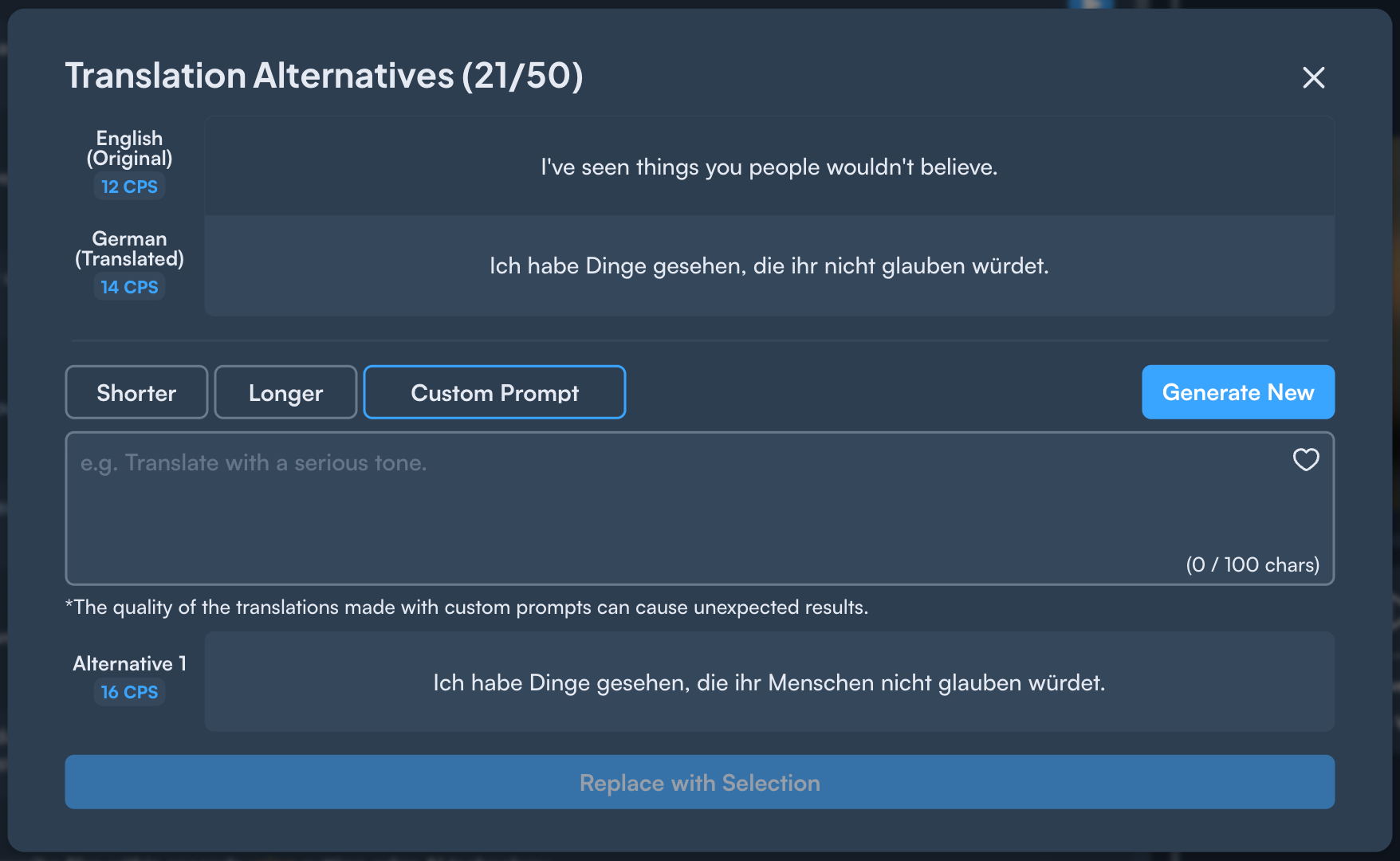
Above, you can see an example of the Translation Alternatives page. With the Custom Prompt option, you can type specific instructions to alter the automatic translation. You can experiment with different prompts, but here are some examples:
Translate this sentence in a funny way
Replace the word 'illustrious' with a more simple word
This translation is for a medical conference, so use technical jargon
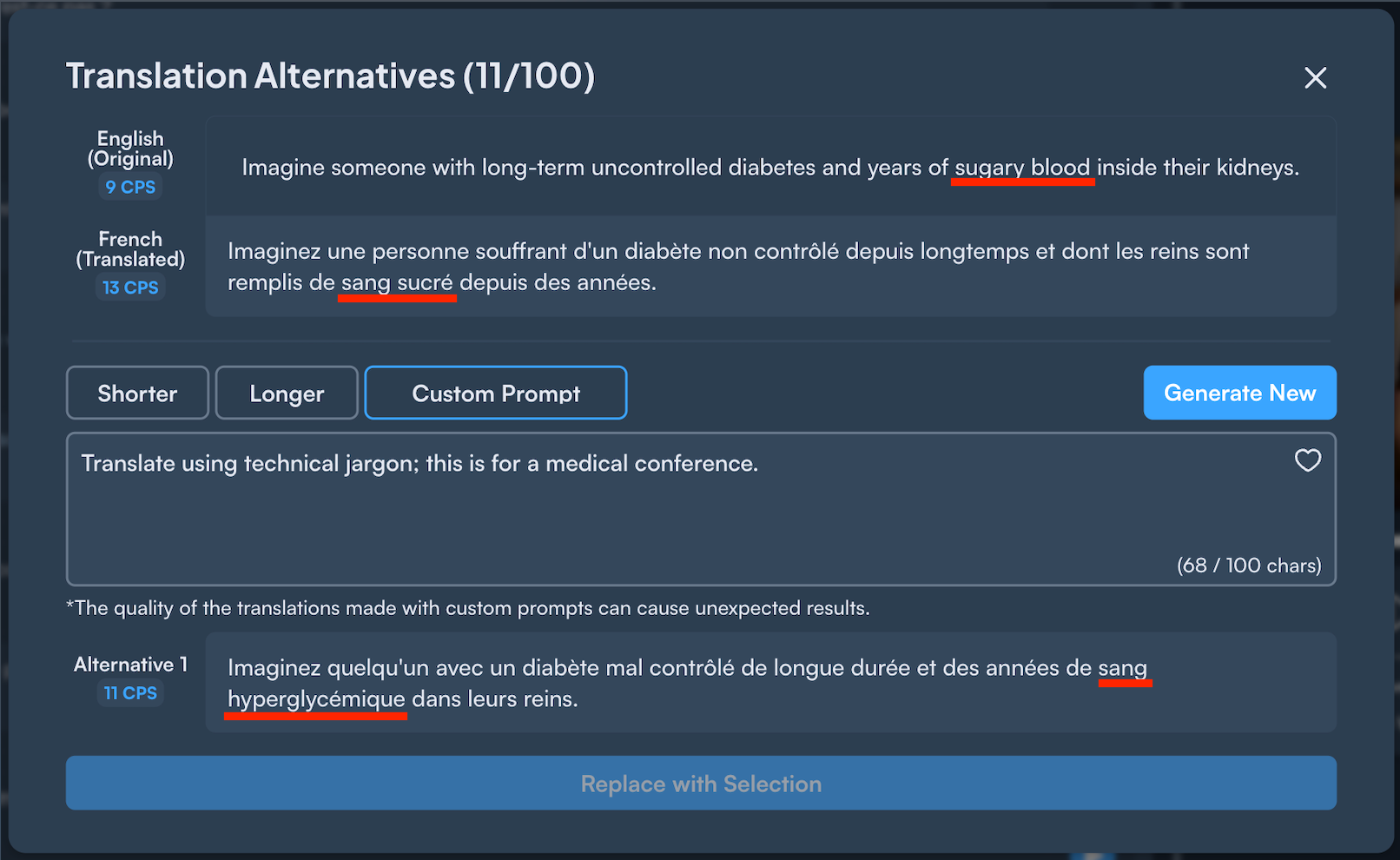
By providing this prompt, the translation changed "sugary blood" to "hyperglycemia," the more appropriate language for a medical conference.
You may find the Translation Alternatives model by selecting the "Generate Sentence Alternatives" button in the editor:
